SOP - setup logging in Audit Trail
Logging of all actions in Clarity's Audit Trail should be enabled by default. If these options were previously changed, follow these steps to enable it:
- Use the System – Audit Trail command from the Clarity main window to open the Audit Trail window.
- Log in with User Name and password.
- Use the View - Properties... command from the Audit Trail window to access the Audit Trail Settings dialog.
- Check all checkboxes on all tabs to ensure complete logging of system actions.
- Click OK to save the changes and close the dialog.
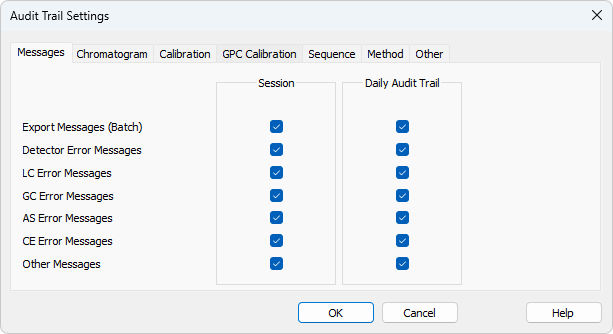
Audit Trail Settings dialog