Missing hardware key
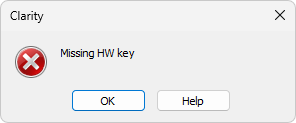
Missing HW key error dialog
If you try to start Clarity without a properly recognized hardware key connected to the PC, an error message saying "Missing hardware key" is displayed and the application will not start. The hardware key must be plugged into a USB port and correctly detected by Windows. This error may occur if the key is not plugged to the PC, or if the key is malfunctioning and is not recognized by the operating system, or if the required USB driver is not installed correctly.
▌ Reason: Your hardware key is not detected by Windows
Solution:
Check if the hardware key is properly inserted in the USB port. Check whether the USB port is working (e.g., try to connect a different device, etc.), check if the hardware key diode is lighting steadily, if blinking or is dimmed try another USB port.
If this does not help, continue to Missing HW key topic in the User Guide, where also more complex reasons for this issue are explained.