Working with non-MS Signals (e.g. PDA) on MS Instrument
This chapter describes the workflow for compound identification, and possible quantification of compounds on non-MS signals using an MS instrument. Although the signal is not acquired by MS detector, all processing steps must be performed within the MS Method.
It explains how to configure MS Method for compounds on a selected non-MS signal and perform integration using the MS Integration tab.
Caution:
Ensure that both detectors are configured on the active instrument, providing MS and non-MS signals.
- Open measured chromatogram and navigate to the MS Method tab. Even when working with non-MS signals, such as PDA, all quantification must be configured and processed within the MS Method.
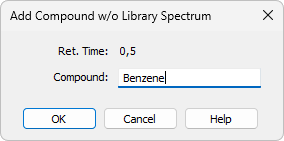
- From the MS menu, select Add Compound w/o Library Spectrum.... In the chromatogram, position the vertical cursor at the apex of the compound peak. Then, in the opened dialog, enter the compound name as shown in the following image.
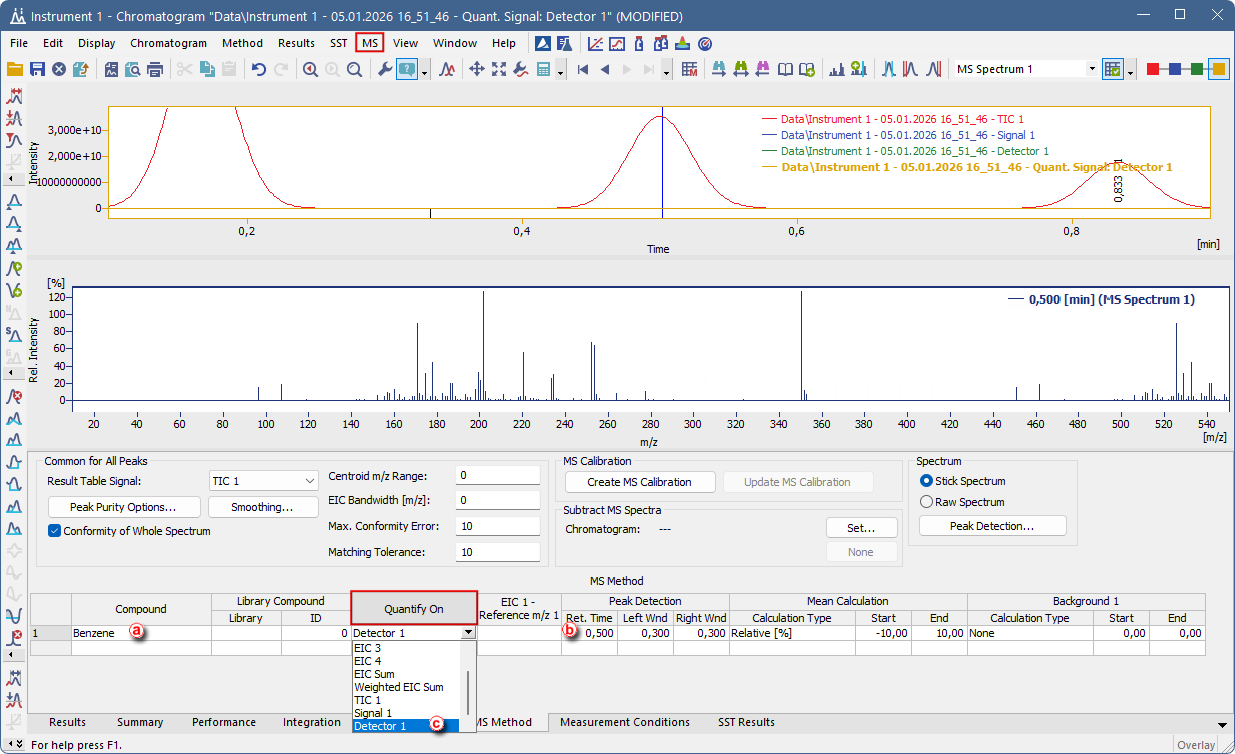
- For each compound quantified using non-MS signal, select the required non-MS detector signal in the MS Method and change Quantify On from default EIC to your desired signal ⓒ. In this case configuration of an EIC Reference is not required.
- Define the peak integration parameters for each signal as needed. Integration of non-MS signals must be performed using the MS Integration tab. For more information about MS Integration, please refer to: Integration of signals in MS.
- Then proceed using the standard MS workflow for creating an MS calibration, as described in the Clarity MS Operation chapter.
Note:
Alternatively, you can add another compound in the MS Method tab by filling in the compound table, entering the compound name in the Compound column ⓐ, and specifying the retention time corresponding to the approximate compound’s peak maximum in the Ret. Time column. ⓑ
Note:
All results are reported in a single MS result table, as MS results are not separated by signal type.
Note:
Integration parameters in Clarity can be defined either as global, affecting all quantification signals, or as local, applied only to a specific signal (see chapter MS Integration). This distinction is particularly important in MS data processing, where different signals may have vastly different signal scales. For example, TIC or extracted ion signals can reach values in the order of millions, while normalized spectral signals are typically scaled to 1 (A.U.). In such cases, global parameters such as Global Threshold cannot be set to a single value suitable for all signals. Local parameters (e.g., Local Threshold, Local Peak Width) should therefore be used to ensure correct integration of each signal independently.