In Clarity, user settings e.g., settings of User Columns, the width of columns in tables, customization of toolbars, etc., are saved in the desktop files *.dsk.
- Open the User Accounts dialog: click on
 or choose System - User Accounts.
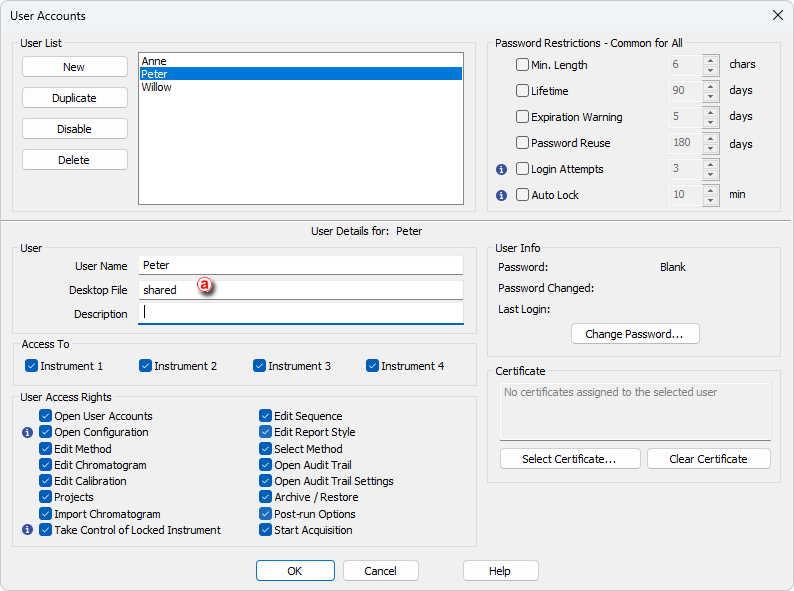
 - Select the user to have a shared desktop file.
- Type the name of the desktop file to be shared to the Desktop File field ⓐ.
- Repeat the procedure for every user you want to have the shared desktop setting.
- Click OK to accept the changes.