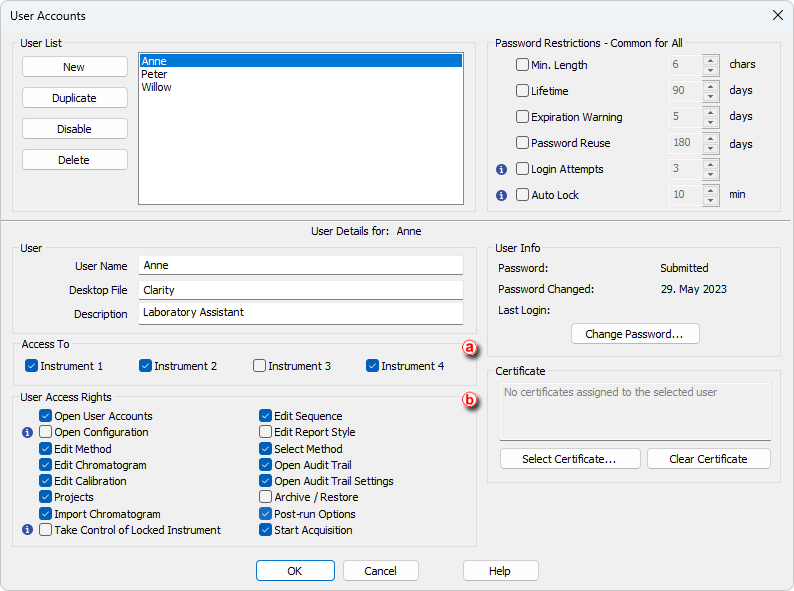
In Clarity, it is possible to:
- Restrict user's access to instruments
- Restrict user's access to Clarity procedures
- Open the User Accounts dialog: click on
 or choose System - User Accounts.
 - Check the Instruments the user will have access to ⓐ.
- Check the Clarity procedures the user will have access to ⓑ.
- Click OK to accept the changes.