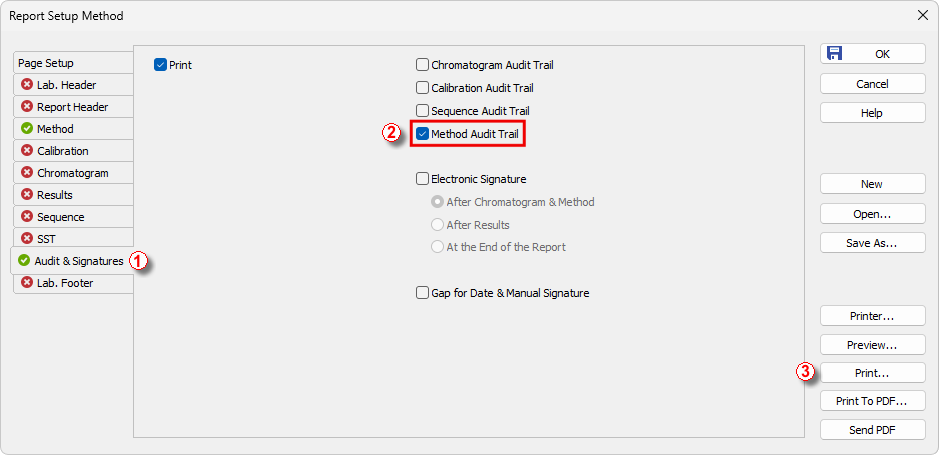
In Clarity, it is possible to print not only the method itself but also its Audit Trail, which documents how the method was created and modified. While the method itself can be printed directly with the chromatogram, its Audit Trail can not be printed from other windows than Method Setup, even if the option is selected in the Report Setup dialog. Therefore, the Audit Trail of a method cannot be printed together with the chromatogram to one report.
Method Audit Trail can be printed by following these steps:
- Open the desired method in the Method Setup dialog.
- From there, open Report Setup dialog using CTRL + ALT + P or the Report Setup icon
 .
. - In the Report Setup dialog, on the Audit & Signatures tab ①, check the option Method Audit Trail ②.
- Print the report from the Method Setup dialog ③.